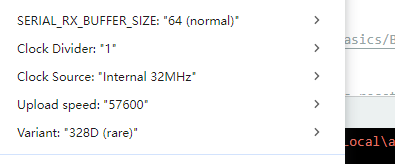
lgtmix_isp
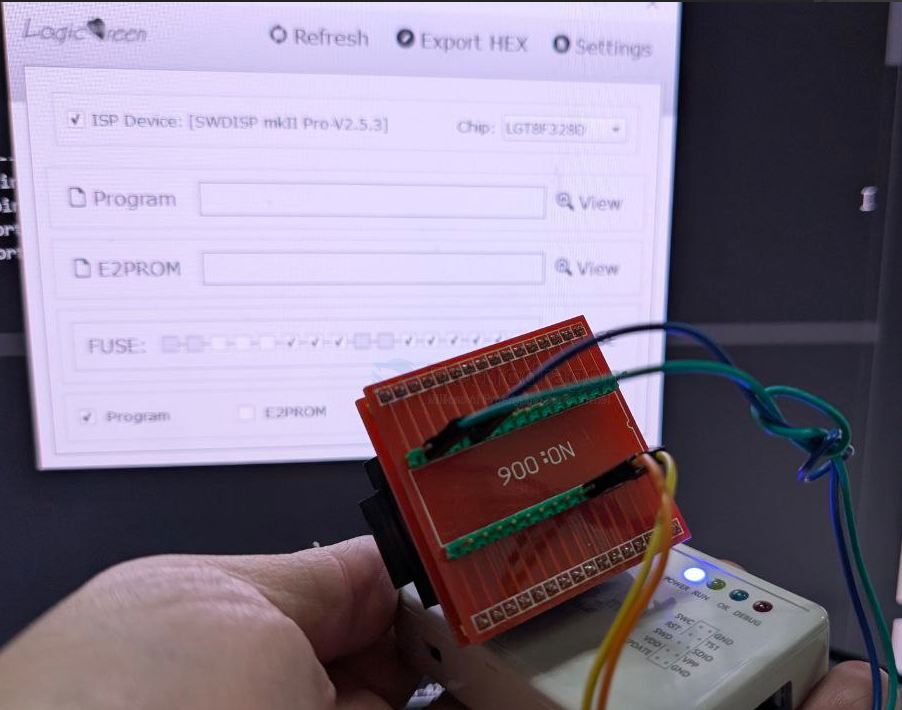
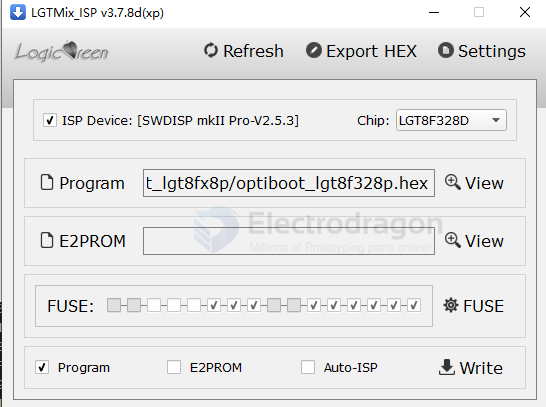
avrdude -C/etc/avrdude.conf -v -patmega328p -carduino -P/dev/ttyUSB0 -b115200 -D -Uflash:w:LarduinoISP_F328PS20.hex:i
SWDICE / SWDISP
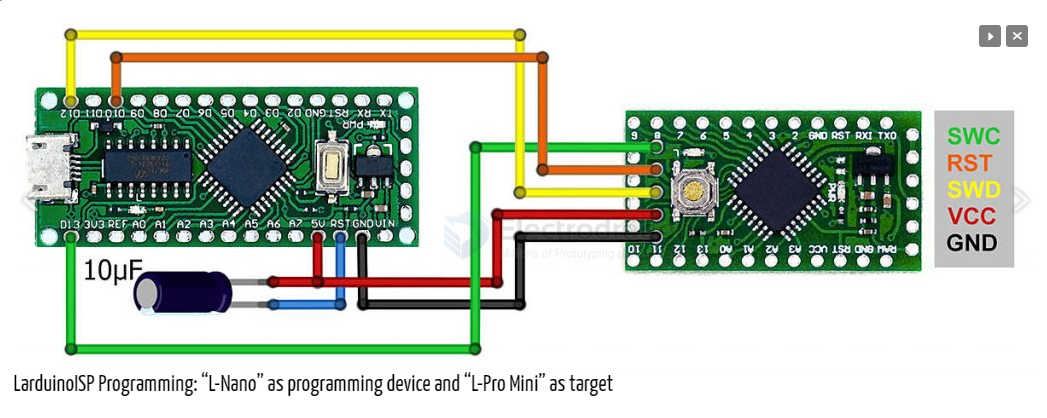
Connect your new programming device to the board to be programmed (“target”) as follows:
| Programmer | Target |
|---|---|
| GND | GND |
| 5V | VCC |
| Pin 12 (D12) | SWD |
| Pin 10 (D10) | RST |
| Pin 13 (D13) | SWC |
ISP == https://gitee.com/xfgao0213/nulllab_arduino/blob/master/libraries/Lgt328P_ISP/Lgt328P_ISP.ino
https://github.com/brother-yan/LGTISP

SISP
- connect pin 18 AVCC and pin 21 GND
SISP 模式为在线烧写模式, 可以支持 LGT 目前除 LGT8F08A 以为的所有芯片,也将 支持 LGT 未来发布的芯片。这种模式下,SWDICE_mkII Pro 为 WinUSB 设备,只能够通过 LGTMix_ISP 工具访问,但需要使用 3.x 以上的版本。
SISP 模式下,SWDICE_mkII Pro 在 Windows 8/10 系统下无需驱动,操作系统自带 winusb 设备驱动。在 Windows XP/7 系统下, 需要安装 SWDISP_mkII 驱动程序。SWDISP_mkII 驱动 可通过官网下载, 或者与我们联系获得。
另外两种模式为调试器模式。分别用于调试 LGT8X/AVR 内核以及 MIC8X/PIC 内核系列芯 片。调试器模式下,SWDICE_mkII Pro 工作于专用 USB 设备,需要由相应的开发环境以及调 试器驱动支持。一般安装开发环境会同时安装调试器所需驱动,无需单独安装。
SICE
SICE 模式用于调试 LGT8X/AVR 内核芯片。包括 LGT8F08A,LGT8F88A/B,LGT8FX8D 系 列芯片,以及未来所有 LGT 基于 LGT8X/AVR 内核的所有芯片。
SICE 模式下, SWDICE_mkII Pro 将会被枚举为 JTAGICE_mkII 设备,可以配合 AVRStudio 4/5/6/7 或者 IAR workbench for AVR 实现芯片的在线调试。安装开发环境后,将同时安装调 试器相关驱动。如果需要单独安装,可以在我们的官网下载 driver-atmel--bundle-7.0.888 驱 动安装程序。
ICSP
ICSP 模式用于调试 MIC8X/PIC 内核芯片。目前 LGT 基于 MIC8X/PIC 内核的芯片包括 LGT8P653A/663A,LGT8F684A。但这些芯片都不支持在线调试。因此此功能暂时不可用。在 LGT 后续发布支持在线调试的 MIC8X 内核芯片,我们将提供固件升级以支持 ICSP 在线调试 功能。因此对于目前的 LGT8P653/663A 以及 LGT8F684A 芯片,请使用 SISP 在线烧写模式。
programming interface
- GND2/AREF/
SWD/PE2 - AVCCI/
SWC/PEO - PC6(/RESET)
- +3V3
- GND
| pin | LGT | extra |
|---|---|---|
| 4 | VCC | |
| 5 | GND | |
| 18 | SWC | PE0 |
| 21 | SWD | PE2 |
| 29 | Reset |
Sketch uploads By Arduino IDE
- Pre-loaded bootloder. Just select corresponding board to upload sketch, refer to bootloader sketch below
- Programming pin port same as FTDI FT232-dat, same as arduino pro mini
- A backup method for without DTR, just hold down RESET button when "compiling", then release when "uploading".
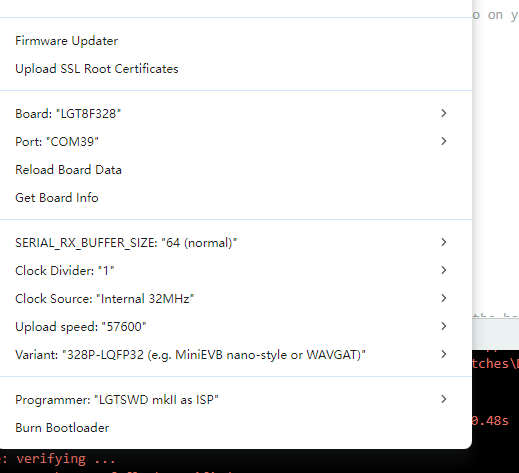
ISP
larduino - ISP
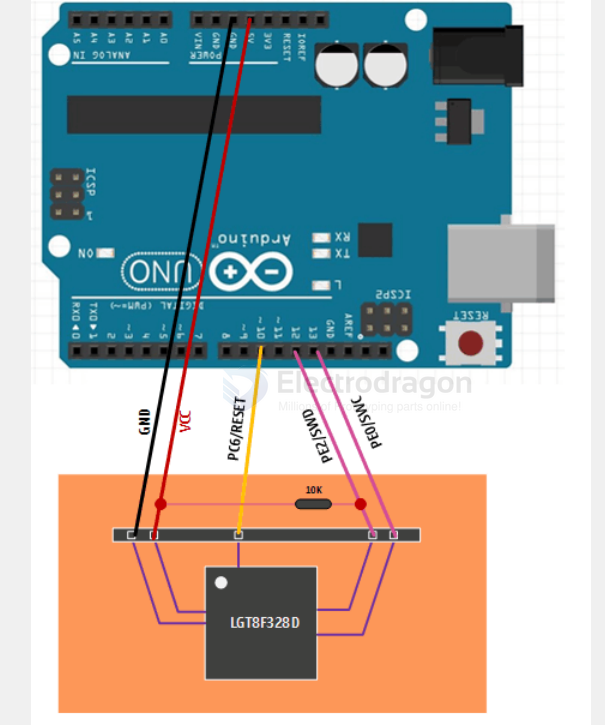
https://github.com/Edragon/LGTISP
https://github.com/LGTMCU/LarduinoISP
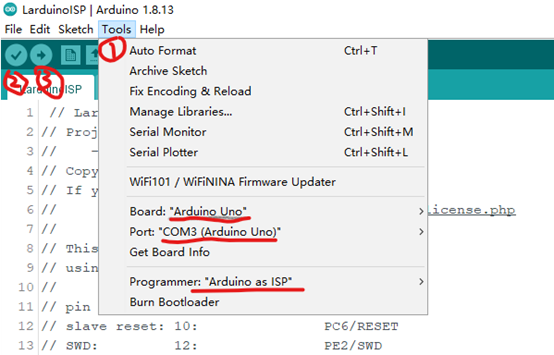
bootloader
dbuezas/lgt8fx - LGT8fx Boards by dbuezas
https://github.com/dbuezas/lgt8fx
https://raw.githubusercontent.com/dbuezas/lgt8fx/master/package_lgt8fx_index.json
for DVA1009-dat
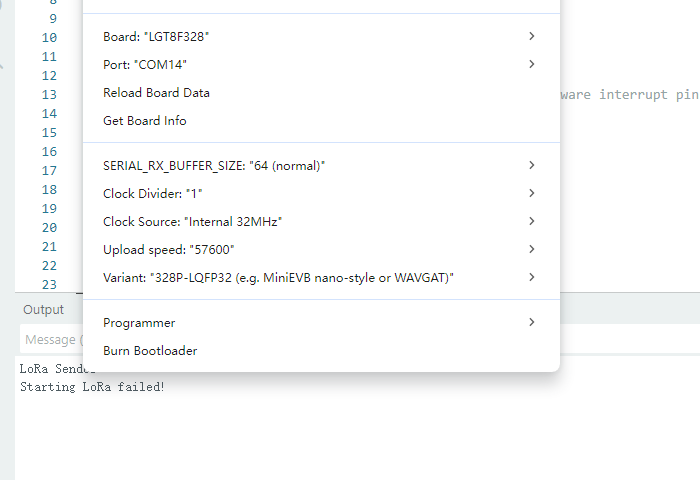
firmware - SSOP20 - C:\Users\Administrator\AppData\Local\Arduino15\packages\lgt8fx\hardware\avr\2.0.7\bootloaders\lgt8fx8ps20\optiboot_lgt8f328ps20.hex
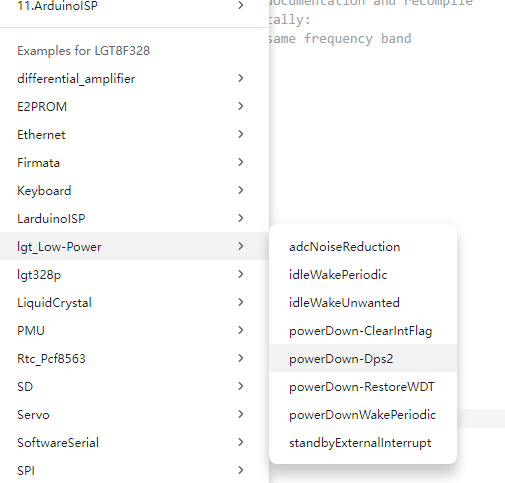
pin map
Interfaces
- [x] UART0:
RX = D0 = PD0, TX = D1 = PD1 - [] SPI: SS = D9 = PB1 on SSOP20, MOSI = D11 = PB3, MISO = D12 = PB4, SCK = D13 = PB5
- [] I2C / Wire: SDA = D18 = PC4 = A4, SCL = D19 = PC5 = A5
- [] External interrupts: INT0 = D2 = PD2, INT1 = D3 = PD3
- [] PWM pins: D3, D5, D6, D9, D10, D11
- [] Built-in LED: D13 = PB5
The key definitions are in lgtx8p.h:615, where:
RXD5 is bit 0 TXD6 is bit 1 PMXCR is the port-mux control register
Then the SSOP20 startup path in main.cpp:93 does:
GPIOR0 = PMXCR | 0x07; PMXCR = 0x80; PMXCR = GPIOR0;
0x07 sets:
bit 0 = RXD5 bit 1 = TXD6 bit 2 = SSB1
So for this board, after startup:
UART0 RX is on PD5 = Arduino D5 UART0 TX is on PD6 = Arduino D6
nullab board
- problem laoding in arduino IDE V2
https://github.com/nulllaborg/arduino_nulllab
Nulllab_AVR_Compatible_Boards by nullab.org
- most compatible, please use this one
- Nullab Nano/ Maker Nano
- install by this - https://nulllab.coding.net/p/lgt/d/nulllab_lgt_arduino/git/raw/master/package_nulllab_boards_index_zh.json
- link2 == https://raw.githubusercontent.com/nulllaborg/arduino_nulllab/master/package_nulllab_boards_index.json
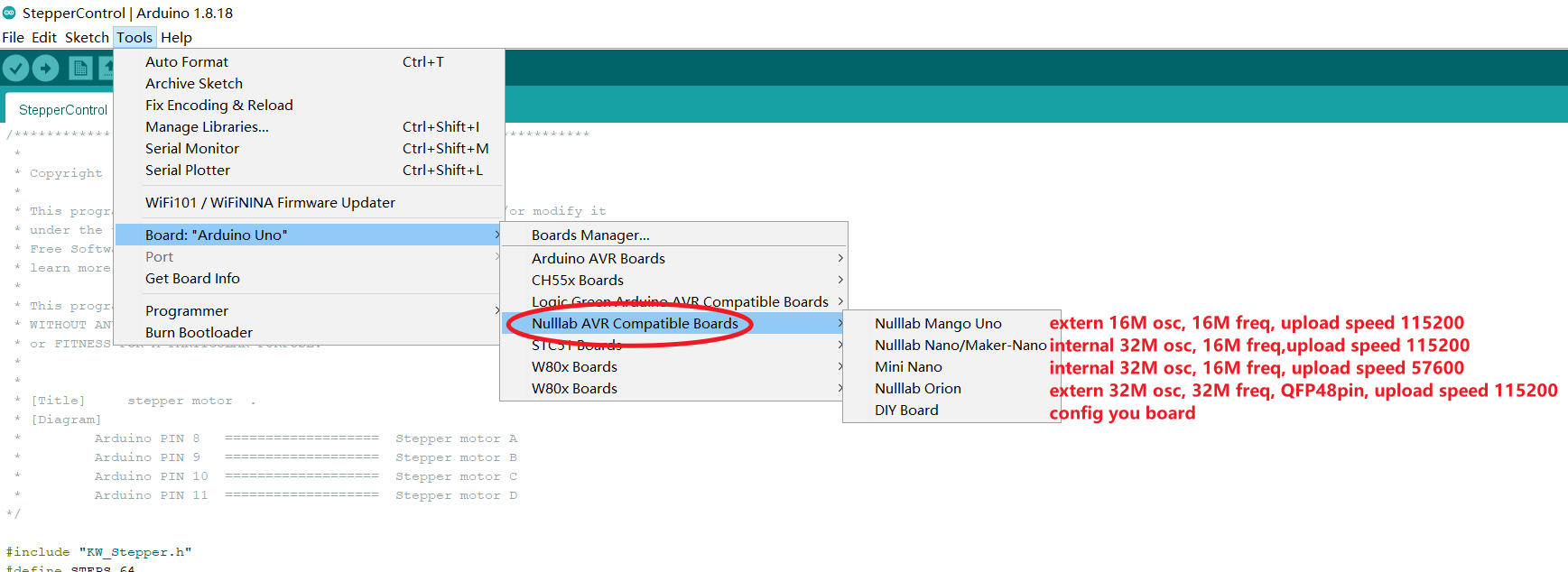
https://github.com/nulllaborg/arduino_nulllab?tab=readme-ov-file
Failed to install platform: 'Nulllab_AVR_Compatible_Boards:2.0.0'. 13INTERNAL: Cannot install platform: installing platform nullab avr
compatible boards:[email protected]: testing local archive integrity: testing archivechecksum: missing checksum for: master.zip
old 1
https://github.com/LGTMCU/Larduino_HSP
Installation:
- Unzip master.zip
- Copy the [hardware] directory to Arduino's sketchbook directory (see below to find out where it normally resides)
- Restart Arduino, you will see new board from [Tools]->[Board] menu.
old 2 bootloader
- Better not used for experiment, your often daily programming learning or testing, although no problem, but if unexpected error cause the board bricked, you need special programmer to re-programme the bootloader.
- Good to migrate to a low cost board instead of original expensive board.
- Same way to upload sketch as pro mini, notice to choose the board
- 8F328P - original IC bootloader, please use this one
- 8F328D - compatible, can also upload code, but don't know if any unknow error.
- Pro mini - also can upload, but active very wired
Chip Note
- crystal is not soldered, it can work without crystal, unlike atmega328
Programmer
- arduino UNO can pretend as a chip programmer
- please contact us if you need to order original programmer
programmer SCH
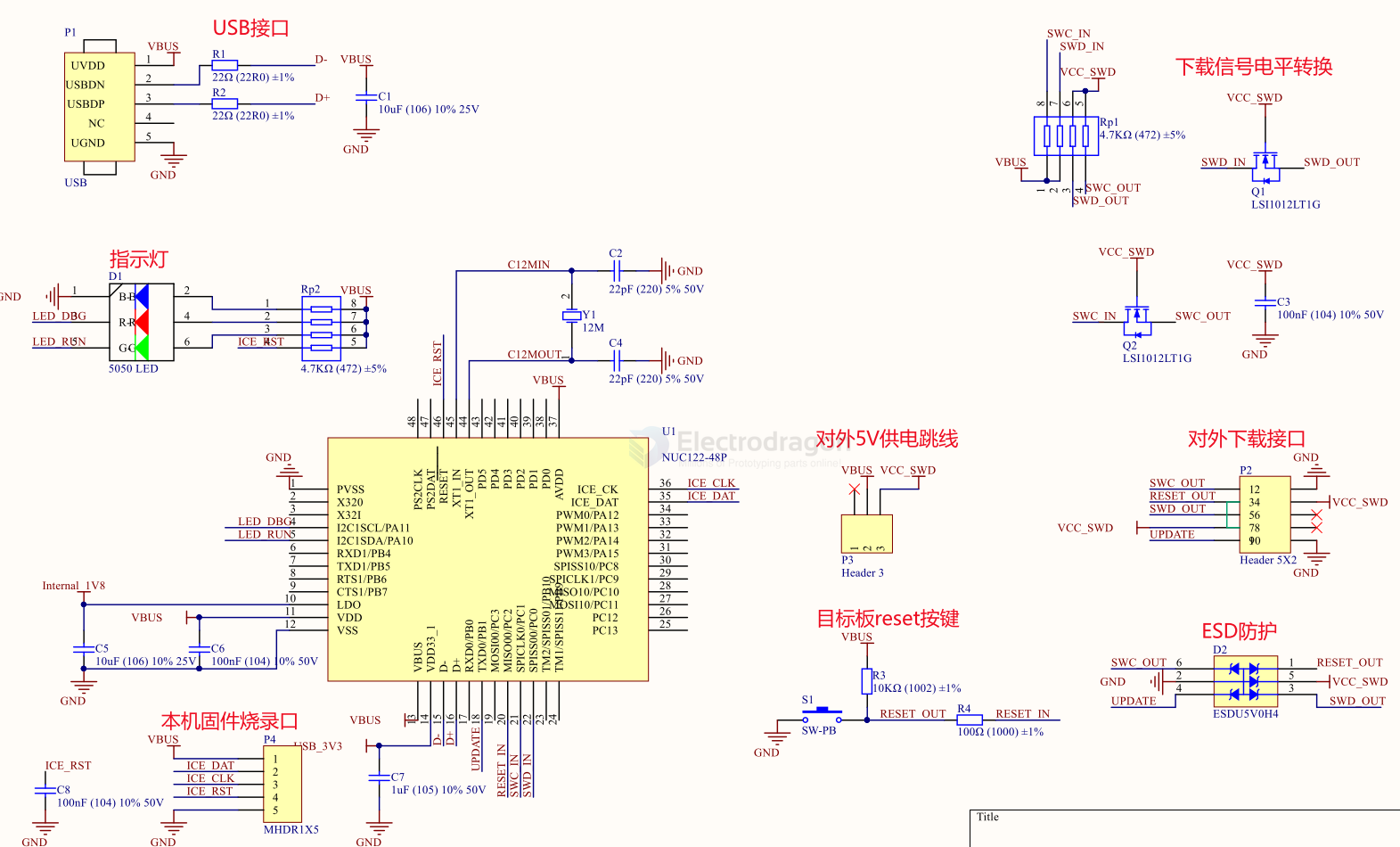
bootloader
C:\Users\Administrator\AppData\Local\Arduino15\packages\lgt8fx\hardware\avr\2.0.7\bootloaders\lgt8fx8e\optiboot_lgt8f328d.hex
C:\Users\Administrator\AppData\Local\Arduino15\packages\lgt8fx\hardware\avr\2.0.7\bootloaders\lgt8fx8p\optiboot_lgt8f328p.hex
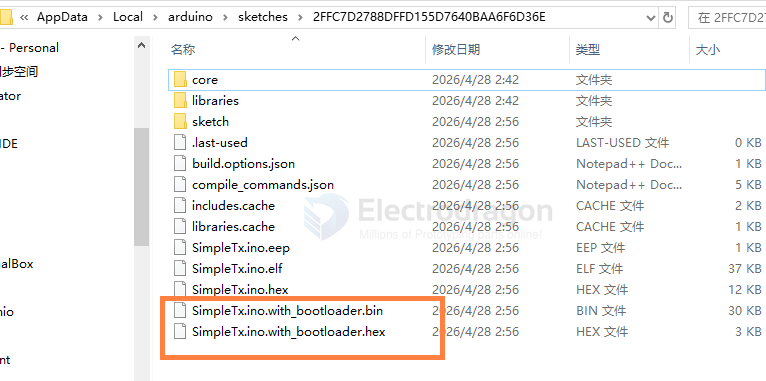
flash with bootloader
- upload sketch with bootloader version first by ISP-dat or programmer-dat, then upload normally via serial-dat
LGT8F328D
- error blink LED
- optiboot_lgt8f328d_intosc.hex