Low-profile PCIe cards still use 1.57 mm thickness; only the bracket changes.
PCIE 1x
A PCIe x1 slot is a type of expansion slot on a computer motherboard, primarily designed for low-bandwidth devices. It has a single PCIe lane, offering the lowest data transfer rate among different PCIe slot types. Despite its limitations, it's useful for various low-power peripheral cards.
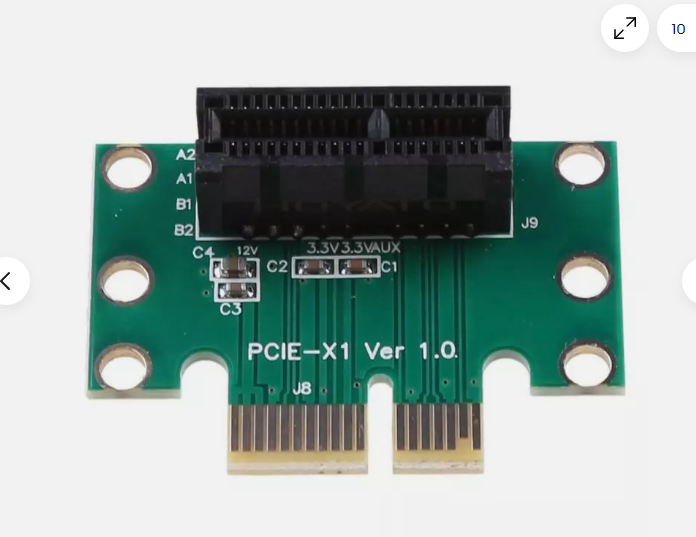
18 *2 = 36 pins
APPs
PCIE - USB SCH - NGS1075-dat
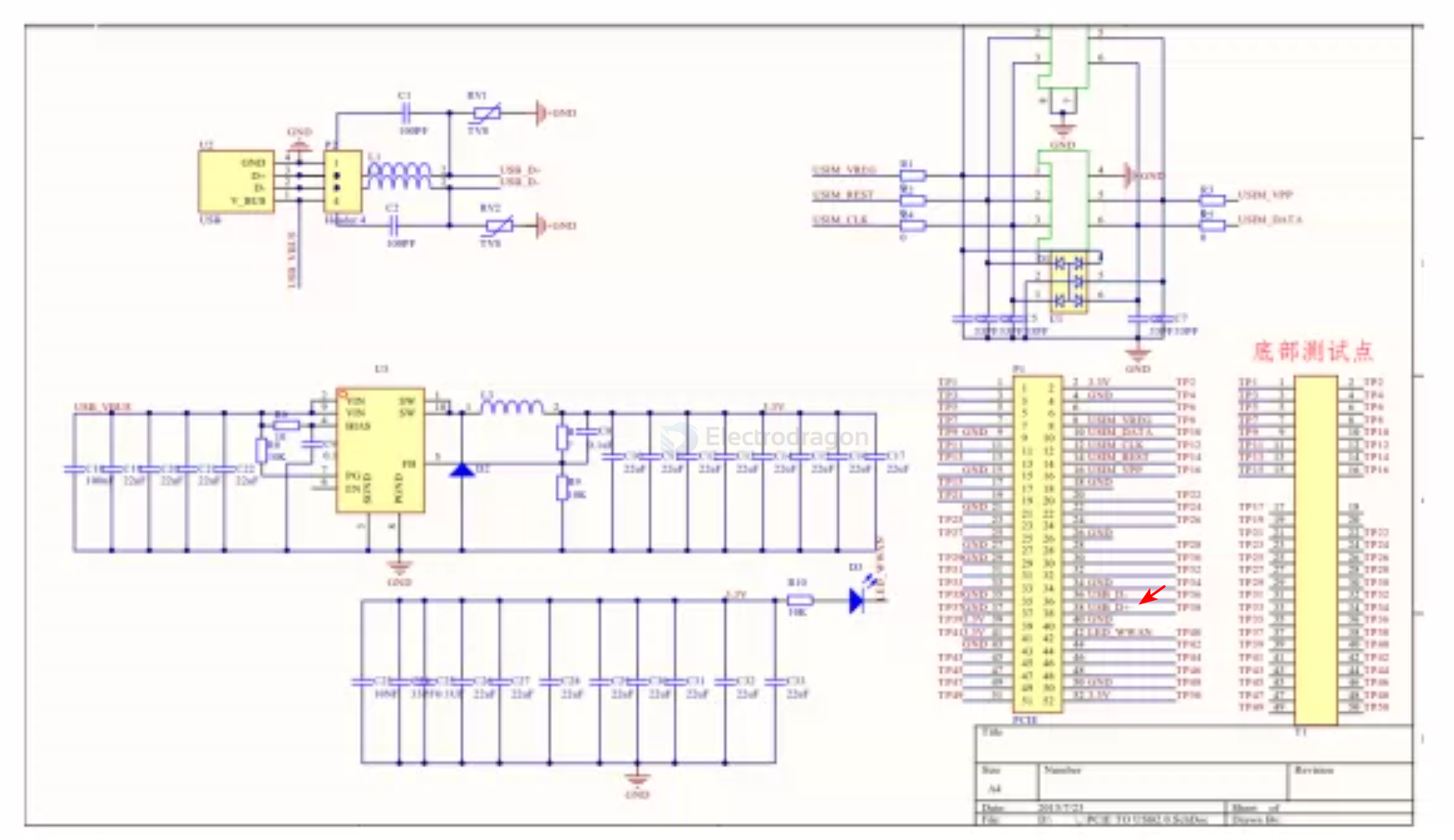
ref
PCIE vs mini-PCIE
📏 1. Physical Size
| Feature | PCIe (Desktop) | Mini PCIe (Mini PCI Express) |
|---|---|---|
| Form Factor | Add-in card (e.g., x1, x4, x16) | Small card (30 × 50.95 mm) |
| Connector | Edge connector (gold fingers) | 52-pin card edge |
| Mounting | Slot + bracket | Screwed to standoffs |
🔌 2. Interface & Lanes
| Feature | PCIe | Mini PCIe |
|---|---|---|
| PCIe Lanes | x1, x4, x8, x16, etc. | Only x1 PCIe lane supported |
| USB Support | ❌ No (PCIe only) | ✅ Optional USB 2.0 integrated |
| SATA Support | ❌ Not directly | ✅ Optional SATA support (rare) |
| Electrical Standard | PCIe Gen 1/2/3/4/5/6 | PCIe Gen 1 or 2 (typically) |
🧠 Mini PCIe may carry PCIe + USB or even SATA, depending on system wiring.
⚡ 3. Data Rate (Theoretical)
| PCIe Version | Data Rate per Lane | Total (Mini PCIe x1) |
|---|---|---|
| PCIe 1.0 | 250 MB/s | 250 MB/s |
| PCIe 2.0 | 500 MB/s | 500 MB/s |
| PCIe 3.0 | 1.0 GB/s | Rare on Mini PCIe |
⚠️ Mini PCIe is usually limited to Gen 1 or 2, due to older spec and hardware.
🧰 4. Use Cases
| PCIe (Standard) | Mini PCIe |
|---|---|
| GPUs, SSDs, network cards | Wi-Fi cards, 3G/4G modems |
| Desktop motherboards | Laptops, embedded systems |
| High-speed, high-power cards | Low-power, compact modules |
🔌 5. Connector & Pinout
| Feature | PCIe x1/x16 | Mini PCIe |
|---|---|---|
| Pin Count | 36 pins (x1) to 164 (x16) | 52 pins (edge connector) |
| Signal Types | PCIe lanes only | PCIe + USB + SMBus + LED + more |
📎 Mini PCIe includes:
- PCIe x1
- USB 2.0 (shared bus)
- SMBus
- 3.3V Power
- Optional SATA
- LED control pins
⚙️ 6. Hot Plug / Power
| Feature | PCIe | Mini PCIe |
|---|---|---|
| Hot Plug Support | ✅ (in some systems) | ❌ Usually not supported |
| Power | 12V / 3.3V (depends) | 3.3V only (3.3Vaux + 3.3V) |
| Max Power | 10–75W+ (x16 GPU) | ~3W typical |