ESP-IDF WiFi Networking Example
The ESP32-P4 does not have built-in WiFi or Bluetooth. Instead, it uses an ESP32-C6 module connected via SDIO to provide WiFi functionality. The ESP32-C6 acts as a slave, supporting WiFi 6 and Bluetooth 5, while the ESP32-P4 acts as the host and communicates via SDIO.
By adding two components, you can seamlessly use esp_wifi in your project:
idf.py add-dependency "espressif/esp_wifi_remote"
idf.py add-dependency "espressif/esp_hosted"
Open the wifistation project and add the components as shown below:
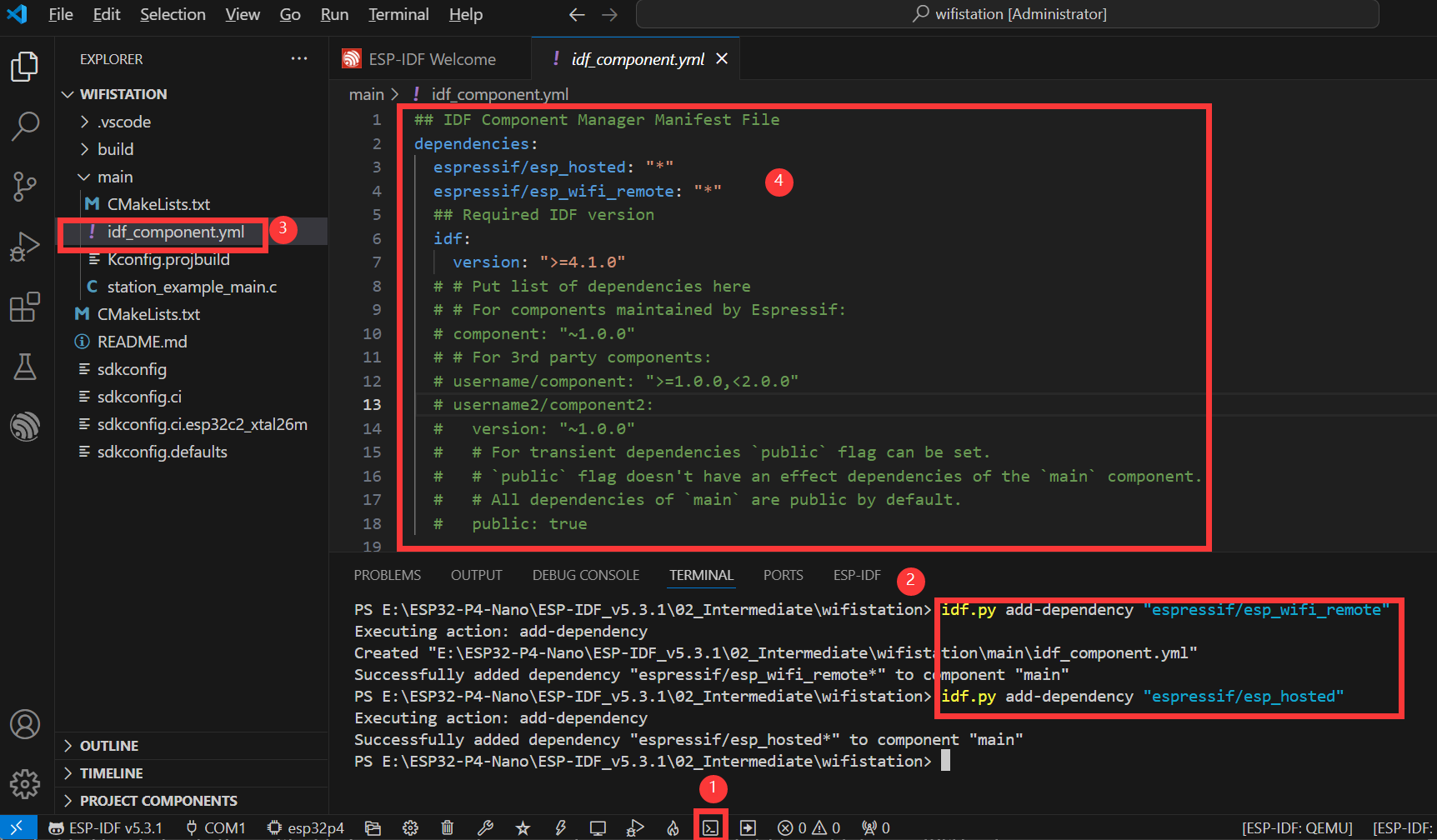
Steps:
- Open the ESP-IDF Terminal.
- Add the required components using the commands above.
- After successful addition, an
idf_component.ymlfile will appear in themainfolder. This file manages project components. - You will see
espressif/esp_hosted: "*"andespressif/esp_wifi_remote: "*"listed. These will be included during project build.
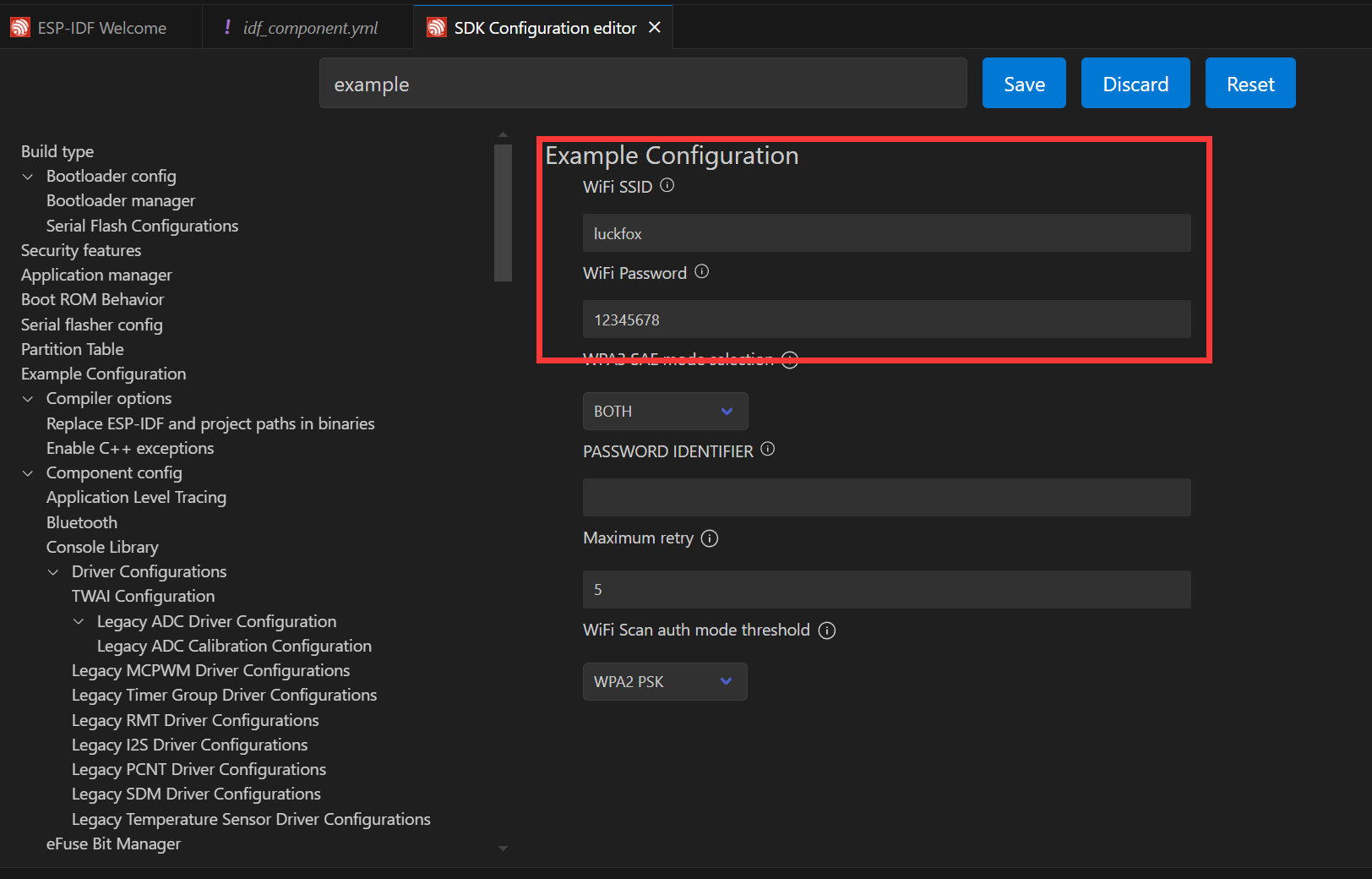
Next, click the ⚙️ (settings) icon and search for "Example". Set the WiFi SSID and password. Note: ESP32-C6 supports 2.4GHz WiFi 6 only, so ensure your target WiFi is 2.4GHz. Save your changes before proceeding!
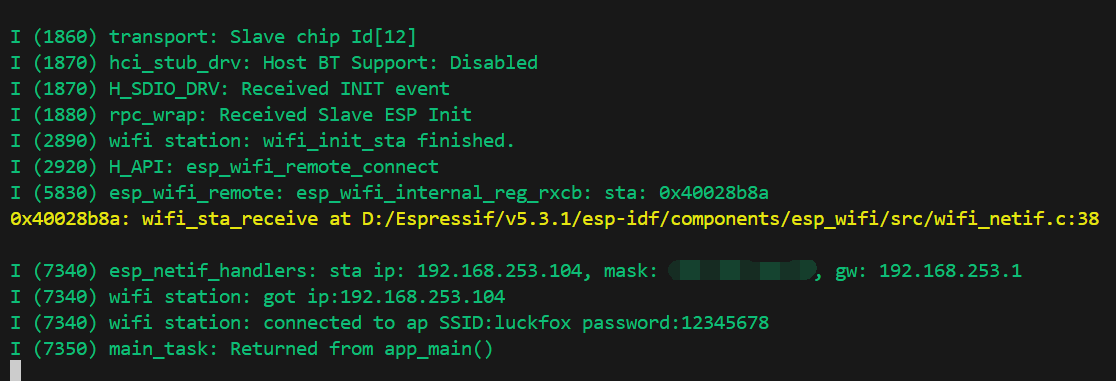
Finally, click the 🔥 (build/flash/monitor) button. When complete, the terminal will show the connection result—your ESP32-P4 is now connected to WiFi: