arduino-ide-dat
https://github.com/arduino/arduino-ide
Library list
multi-task
SchedTask -2 https://github.com/Nospampls/SchedTask TaskScheduler - 744 https://github.com/arkhipenko/TaskScheduler
ESP
ESP Arduino code and firmware
arduino firmware - https://github.com/Edragon/esp_firmware
ESP32
ESP8266
tips
include
use include “test.h” to add variables
snippet
// Periodically blink the onboard LED while listening for serial commands
if ((int)(millis()/500) > lastPeriod)
{
    lastPeriod++;
    pinMode(LED, OUTPUT);
    digitalWrite(LED, lastPeriod%2);
}
common folder
windows
ETH.h
- C:\Users\Administrator\AppData\Local\Arduino15\packages\esp32\hardware\esp32\2.0.6\libraries\Ethernet\src\eth.h
- C:\Users\Administrator\AppData\Local\Arduino15\packages\esp32\hardware\esp32\2.0.6\libraries\Ethernet\src\eth.cpp
arduino15
You can open it by pressing Win + R, typing: %LOCALAPPDATA%\Arduino15
Cut the Arduino15 folder.
Paste it somewhere on D drive, for example: D:\Arduino15
Open Command Prompt as Administrator and run: mklink /D "%LOCALAPPDATA%\Arduino15" "D:\Arduino15"
export compiled binary
cmd /C copy C:\Users\ADMINI~1\AppData\Local\Temp\arduino_build_572672\rf-motor.ino_attiny13a_4800000L.lst E:\Git-category\Git-Arduino\arduino-main2\Sketchbook\attiny-app\rf-motor
        1 file(s) copied.

rf-motor.ino.with_bootloader_attiny13a_4800000L.hex
rf-motor.ino_attiny13a_4800000L.hex
rf-motor.ino_attiny13a_4800000L.lst
arduino IDE 2.x
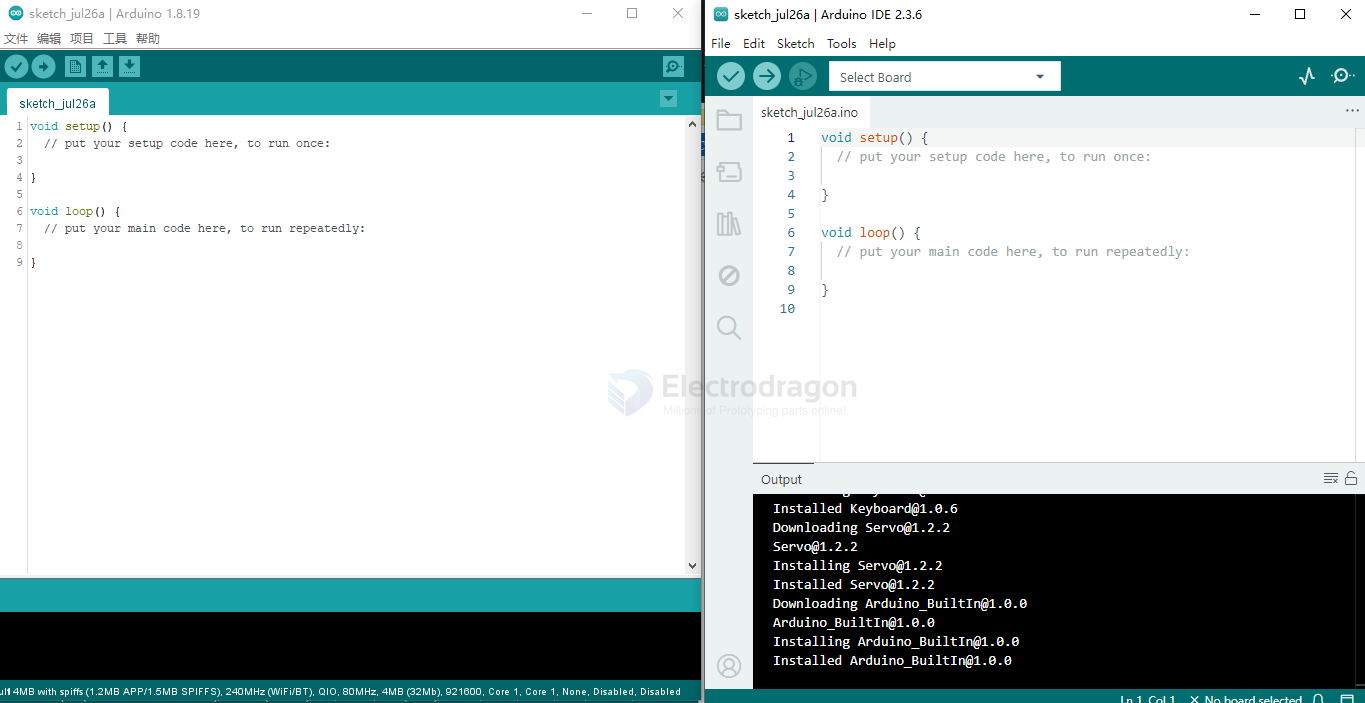
compare to arduino version 1.x
LittleFS
LittleFS is a lightweight filesystem created for microcontrollers that lets you access the flash memory as you do in a standard file system on your computer, but it’s simpler and more limited. You can read, write, close, and delete files. Using LittleFS with the ESP32 boards is useful to:
- Create configuration files with settings;
- Save data permanently;
- Create files to save small amounts of data instead of using a microSD card;
- Save HTML, CSS, and JavaScript files to build a web server;
- Save images, figures, and icons;
- And much more.
download from release https://github.com/earlephilhower/arduino-littlefs-upload/releases
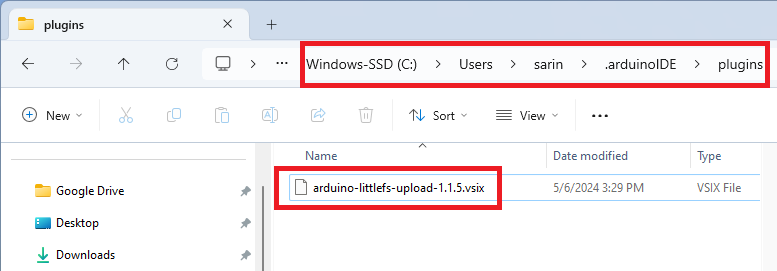
On your computer, go to the following path: C:\Users<username>.arduinoIDE. Create a new folder called plugins if you haven’t already.
C:\Users\Administrator.arduinoIDE\plugins\arduino-littlefs-upload-1.5.4.vsix
Move the .vsix file you downloaded previously to the plugins folder (remove any other previous versions of the same plugin if that’s the case).
test code
#include "LittleFS.h"

void setup() {
Serial.begin(115200);

if(!LittleFS.begin()){
    Serial.println("An Error has occurred while mounting LittleFS");
    return;
}

File file = LittleFS.open("/test_example.txt", "r");
if(!file){
    Serial.println("Failed to open file for reading");
    return;
}

Serial.println("File Content:");
while(file.available()){
    Serial.write(file.read());
}
file.close();
}

void loop() {

}
ref
our repositories