- setup target: ESP32-C2 / USB-bridge
compile demo
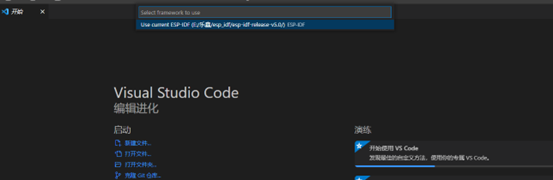
- 查看 - 命令面板(快捷键Ctrl+Shift+P)
- 输入show examples projects,点击。
- 点击弹出的 Use current ESP-ID,使用本地SDK,也就是前面自定义IDF的路径
-
如下图创建工程
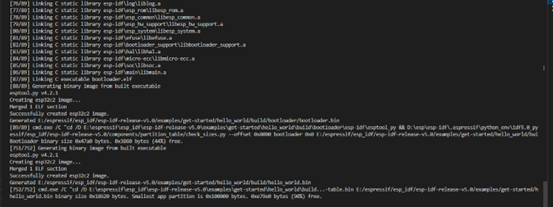
- Executing task: C:\Users\Administrator.espressif\python_env\idf5.0_py3.8_env\Scripts\python.exe d:\esp-idf-v5.0\tools\idf_size.py d:\work\hello_world\build\hello_world.map
Total sizes: Used static DRAM: 12048 bytes ( 168688 remain, 6.7% used) .data size: 9768 bytes .bss size: 2280 bytes Used static IRAM: 47430 bytes ( 83642 remain, 36.2% used) .text size: 46403 bytes .vectors size: 1027 bytes Used Flash size : 119363 bytes .text : 87935 bytes .rodata : 31172 bytes Total image size: 176561 bytes (.bin may be padded larger)
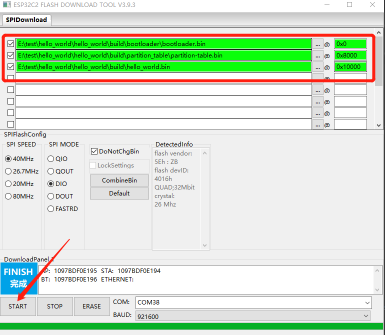
file includes:
- bootloader.bin - 0x0
- partition_table.bin - 0x8000
- hello_world.bin - 0x10000
SPI speed 40M, SPI Mode DIO
compile done
flash
- A fatal error occurred: This chip is ESP32-C2 not ESP32-C3. Wrong --chip argument?
flash